
Have you ever noticed how your phone provider seems to treat your data plan like an all-you-can-eat buffet, only to hit you with a massive bill the second you actually try to use it? It’s infuriating. I spent years in corporate admin, and if there’s one thing I learned, it’s that most “solutions” offered by tech companies are just ways to keep you paying for more. You don’t need a more expensive unlimited plan; you just need to know how to save mobile data without turning your smartphone into a glorified brick. I’m tired of the complex, jargon-heavy guides that tell you to “optimize network protocols” when all you really want to do is stop the bleeding before your next billing cycle.
I’m not here to give you a lecture on digital minimalism or suggest you throw your phone in a drawer. My approach is much more practical: we’re going to strip away the background noise and fix the settings that are actually draining your tank. I’ve tested these tweaks myself while working remotely from coffee shops and transit hubs, and I promise to share only the straightforward, no-nonsense steps that actually work. Let’s get your data back under your control so you can focus on the things that actually matter.
Stop Apps From Using Data in the Background

This is where most of the invisible leaking happens. You might not be actively scrolling through Instagram, but your phone is still working overtime in your pocket, constantly checking for updates or refreshing your feed. It’s frustrating to see your usage spike when you haven’t even touched your device. To fix this, you need to go into your settings and manually limit background data usage for the apps that don’t actually need to be “on” all the time. I usually start with social media and news apps—they are notorious for sipping away at your plan while you’re just trying to get through a meeting or grab a coffee.
If you’re looking for a quicker fix without digging through every individual app, I highly recommend toggling on your phone’s built-in low data mode settings. Both iPhone and Android have these “emergency” modes that essentially tell your phone to stop being so chatty with the internet. It’s one of those simple, effective ways to reduce cellular data consumption instantly without having to play detective with your settings every single day. It’s all about making the technology work for you, rather than the other way around.
Simple Low Data Mode Settings for Instant Relief
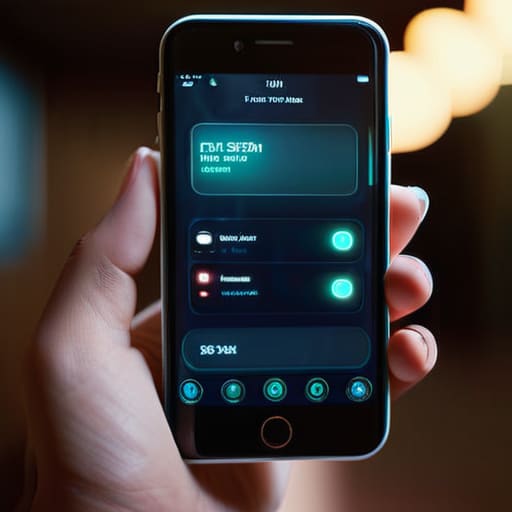
If you’re staring at a data warning and feeling that familiar spike of panic, don’t worry—you don’t need to be a tech wizard to fix this. Most modern smartphones actually have built-in “emergency buttons” designed for exactly this scenario. On an iPhone, look for the Low Data Mode toggle in your cellular settings. On Android, you’ll likely find it under “Data Saver.” Turning this on is like putting your phone on a diet; it immediately tells your device to stop all the non-essential chatter that eats away at your allowance.
It’s one of those quick wins that provides instant relief without you having to micromanage every single app. By activating these low data mode settings, your phone automatically stops pre-loading videos and pauses those pesky automatic updates that happen without you even realizing it. It’s a simple, hands-off way to optimize mobile internet usage so you aren’t constantly checking your meter. I usually flip this switch the second I know I’ll be away from Wi-Fi for the afternoon, and it honestly makes a world of difference in how long my plan actually lasts.
5 Quick Fixes to Keep Your Data Plan Under Control
- Audit your streaming habits. If you’re catching up on a show during your lunch break, check your settings to make sure you aren’t accidentally streaming in 4K. Switching to “Data Saver” mode on Netflix or YouTube makes a massive difference in how much you burn through.
- Get smart about your music. I used to realize halfway through the month that my Spotify was eating my budget alive. Set your playlists to download over Wi-Fi only, so your phone isn’t constantly pulling high-quality tracks from the cellular network while you’re out and about.
- Tame your social media feeds. Apps like Instagram and TikTok are data vacuums because they preload videos before you even scroll to them. If you can, turn off “Autoplay” in the app settings; it’s one less thing running in the background that you didn’t actually ask for.
- Use “Lite” versions of your favorite apps. Many big platforms offer “Lite” versions of their apps specifically designed for slower connections or limited data. They strip away the heavy fluff and focus on the essentials, which is exactly the kind of efficiency I’m all about.
- Map out your route before you leave the house. GPS is a lifesaver, but constant real-time data fetching can add up. If you’re heading somewhere familiar, download the area on Google Maps while you’re still on your home Wi-Fi. That way, you can navigate offline without using a single kilobyte.
## The Bottom Line
“At the end of the day, your phone should work for you, not the other way around. You shouldn’t have to monitor every single megabyte like it’s a precious resource; you just need to set a few boundaries so you can stop worrying about the bill and get back to your life.”
Elena Vance
Cutting the Cord on Data Waste

At the end of the day, saving your mobile data isn’t about living in a digital vacuum; it’s just about being a little more intentional with how your phone works in the background. We’ve covered the heavy hitters: shutting down those hungry background app refreshes, toggling on your device’s built-in low data modes, and keeping a sharp eye on your settings. It’s really just a matter of trimming the fat so your connection stays reliable when you actually need it. Once you’ve made these small tweaks, you’ll likely find that you aren’t constantly checking your usage or worrying about an unexpected bill at the end of the month.
I know that tech can often feel like it’s designed to be as complicated as possible, but you don’t have to let it run your life. My philosophy has always been that the tools we use should serve us, not the other way around. By taking ten minutes today to audit your settings, you are reclaiming a bit of control over your digital space. Don’t let a data cap dictate how you move through the world. Set your boundaries, optimize your settings, and then get back to the things that actually matter. You’ve got this.


I believe that a well-run home shouldn't require a PhD or a massive budget. My goal is to strip away the complexity so you can focus on actually living in your space. Let's keep things practical, efficient, and genuinely useful.
View All Articles