

I was sitting at my kitchen table last Tuesday, trying to quickly pull up a client’s project brief, when my phone decided to take a “moment” to think. It hung there, a spinning little circle of death, while I sat there staring at my lukewarm coffee. It’s that specific, infuriating lag that makes you want to toss the device across the room. Most people will tell you that the only real solution is to drop a thousand dollars on the latest model, but honestly? That’s a scam. You don’t need a new device; you just need to learn how to speed up your phone by cutting out the digital junk that’s weighing it down.
I’m not here to give you a list of flashy, paid “cleaner” apps that actually just slow you down more. My goal is to strip away the nonsense and give you a few practical, no-nonsense steps that actually work. We’re going to tackle the clutter, manage your background processes, and get your device feeling snappy again without spending a dime. Let’s get your tech back in line so you can stop fighting your screen and get back to your actual life.
Clear Smartphone Cache to Cut the Digital Clutter
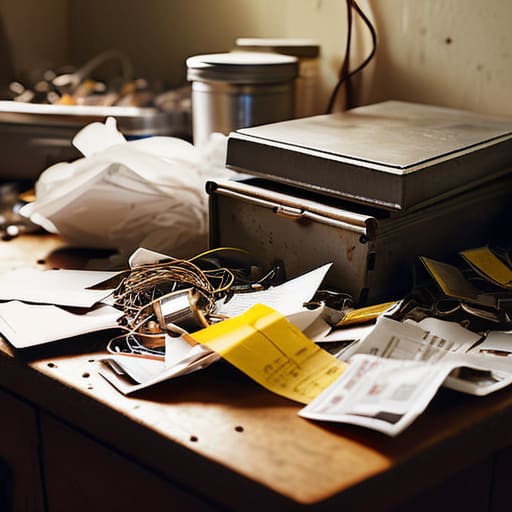
Think of your phone’s cache like the junk drawer in your kitchen—it starts with a few useful things, but eventually, it just becomes a graveyard of old receipts and loose batteries that gets in your way. Every time you browse a site or use an app, your phone stores little bits of data to help things load faster next time. But over months, that data piles up, becoming heavy and sluggish. To fix this, you need to clear smartphone cache periodically. It’s one of the simplest ways to declutter your digital life without actually deleting your precious photos or messages.
I usually tackle this once a month, right along with my actual physical cleaning routine. On an Android, you can dive into your settings and clear the cache for specific, heavy-hitting apps like Chrome or Instagram. If you’re on an iPhone, it’s a bit more manual, often requiring you to “offload” apps or clear browser data in Safari. Taking ten minutes to do this can significantly free up storage space and stop those annoying little freezes that happen when you’re trying to do something important. It’s not magic, but it definitely helps the device breathe.
Manage Background Apps to Reclaim Your Time

We’ve all been there: you’re trying to quickly check a recipe or send a single text, but your phone feels like it’s wading through molasses. A huge culprit behind this lag is often the invisible workload happening behind the scenes. When you manage background apps effectively, you aren’t just stopping the spinning wheel of death; you’re actually giving your processor a much-needed breather. Many of those apps you haven’t touched in weeks are still sitting there, sipping away at your resources and fighting for attention.
I like to treat my phone a bit like my vintage sideboards—if there’s too much junk tucked away in the drawers, nothing works smoothly. Take a moment to scroll through your active applications and close the ones that are just idling. This is one of the easiest ways to optimize mobile battery life and stop that frustrating heat buildup in your hand. It’s not about being obsessive; it’s just about cutting out the digital noise so your device can actually do what you need it to do, right when you need it.
Five More Ways to Stop the Lag and Get Your Sanity Back
- Stop hoarding old photos and videos. We all have that “junk drawer” of blurry shots and screenshots we’ll never look at again; take ten minutes to delete the clutter or move them to a cloud service to free up vital storage space.
- Give your home screen a makeover by removing those “widget heavy” layouts. While a weather widget looks nice, having five of them constantly refreshing in the background is just asking for a slow processor.
- Check your software updates—and actually install them. I know, the little red notification is annoying, but those updates usually contain “under the hood” fixes that help your hardware and software play nice together.
- Trim the fat on your installed apps. If you haven’t opened that specialized photo editor or that random game in three months, hit delete; it’s one less thing your phone has to keep track of.
- Try a simple restart once a week. It sounds almost too basic, but just turning your phone off and back on clears out the temporary glitches and gives the system a much-needed fresh start.
## The Digital Declutter Mindset
“Your phone should be a tool that serves you, not a digital weight that drags you down; sometimes, the best way to find speed isn’t by adding more features, but by finally letting go of the digital clutter you don’t actually need.”
Elena Vance
Bringing It All Home
At the end of the day, speeding up your phone doesn’t require a trip to the tech store or a massive budget for a new model. By simply clearing out that accumulated cache and keeping a closer eye on those hungry background apps, you’ve already done the heavy lifting. It’s really just about digital housekeeping—the same way I might clear off a cluttered workbench before starting a new furniture restoration project. These small, intentional shifts stop your device from feeling like a source of frustration and turn it back into the efficient tool it was meant to be.
We spend so much of our lives staring at these little glowing rectangles, and I hate seeing them become a source of unnecessary stress. My hope is that these tweaks give you back a little more headspace and a lot less lag. Don’t let a glitchy interface dictate the pace of your afternoon; take control of your tech so you can get back to the things that actually matter. Remember, the goal isn’t to have the most cutting-edge gadget on the block, but to have a life that feels smooth and unburdened by the digital noise. You’ve got this.


I believe that a well-run home shouldn't require a PhD or a massive budget. My goal is to strip away the complexity so you can focus on actually living in your space. Let's keep things practical, efficient, and genuinely useful.
View All Articles