

I still remember the sinking feeling in my stomach when my old laptop finally gave up the ghost three years ago. I was right in the middle of a freelance project, and suddenly, years of family photos and essential client files were just… gone. I spent hours spiraling through tech forums, reading about expensive enterprise-grade servers and complex cloud architectures that felt like they were written in another language. Honestly, the tech industry loves to make how to back up your data sound like a high-stakes engineering project, but most of that hype is just noise designed to separate you from your paycheck.
I’m not here to sell you on a subscription service you’ll forget to use or a complicated setup that requires a degree in computer science. Instead, I want to show you a few practical, low-maintenance ways to secure your digital life without the headache. We’re going to strip away the jargon and focus on simple, reliable methods that actually work for busy people. By the time we’re done, you’ll have a system in place that runs in the background, so you can stop worrying about your files and get back to actually living your life.
The 3 2 1 Backup Rule Explained for Real Life

If you’ve ever felt overwhelmed by tech jargon, don’t worry—I’ve been there. When people ask me for a simple way to stay organized, I always point them toward the 3-2-1 backup rule explained in plain English. It sounds like a math equation, but it’s really just a safety net. The idea is simple: keep three copies of your data, use two different types of media, and ensure one copy is kept off-site. It’s about creating layers of protection so that if one thing fails, you aren’t left staring at a blank screen.
In practical terms, this usually means having your original files on your computer, a second copy on an external hard drive, and a third copy somewhere else entirely. When deciding between external hard drive vs cloud storage, I usually suggest a mix of both. An external drive is great for quick, physical access, while the cloud acts as your “off-site” safety net. This way, even if a spilled cup of coffee ruins your laptop or a house issue occurs, your digital life remains intact and ready to be restored.
External Hard Drive vs Cloud Storage What Actually Works

So, you’re staring at the choice between a physical drive sitting on your desk and a monthly subscription to a cloud service. It’s the classic external hard drive vs cloud storage debate, and honestly, there isn’t a “correct” answer—only what fits your actual life. If you’re someone who likes to feel in control, a physical drive is great because you can see it, touch it, and there’s no monthly fee. It’s perfect for those massive video files or photo libraries that would eat up your cloud space in a heartbeat. Just remember: if you leave that drive sitting on your desk, it isn’t actually protecting you from a house fire or a sudden coffee spill.
On the flip side, cloud storage is the king of set-it-and-forget-it convenience. Most services offer automated data backup solutions that run quietly in the background while you sleep. You don’t have to remember to plug anything in; it just happens. This is a lifesaver if you’re prone to forgetting tasks, though it does mean you’re paying a “rent” for your digital life. My advice? Don’t choose just one. Use the cloud for your most essential, everyday documents and keep a physical drive for the heavy lifting.
Five ways to make sure your digital life stays safe (without the headache)
- Automate everything you can. I don’t have the mental bandwidth to remember to plug in a drive every Friday; set your computer to run its backups on a schedule so it happens while you’re sleeping or out for coffee.
- Test your backups once in a while. There is nothing worse than panicking during a crisis only to realize your backup file is corrupted—take ten minutes once a month to try and open a few files from your drive just to be sure they actually work.
- Keep one copy somewhere else. If you keep your backup drive sitting right next to your computer, a single power surge or a spilled cup of tea could take out both; keep a secondary copy at a friend’s house or use a cloud service to stay safe.
- Prioritize what actually matters. You don’t need to back up every single meme or temporary download; focus your energy and storage space on the “non-negotiables” like family photos, tax documents, and work projects.
- Label your gear. It sounds simple, but I’ve spent way too much time untangling cables and guessing which drive is which—grab a piece of masking tape and a sharpie to mark your drives so you aren’t playing detective when you’re in a rush.
A Little Peace of Mind
“Data backup isn’t about being a tech expert; it’s just about making sure a single hardware glitch doesn’t turn into a week-long crisis of lost memories and wasted time.”
Elena Vance
Don't Wait for a Crisis to Act
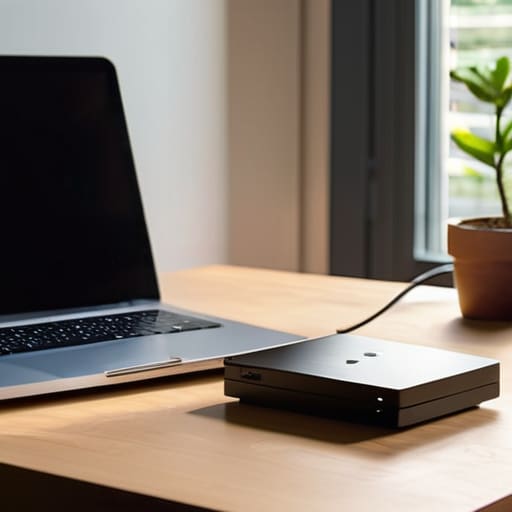
At the end of the day, backing up your data isn’t about becoming a tech expert; it’s about building a safety net so you can stop worrying about “what if.” We’ve covered the basics: follow the 3-2-1 rule to ensure you aren’t relying on a single point of failure, and decide whether a physical hard drive or a cloud service fits your specific lifestyle better. You don’t need a complicated, expensive enterprise setup to stay safe. Whether you choose a simple external drive you can plug in once a week or an automated cloud subscription that runs quietly in the background, the most important step is simply starting the process.
I know that looking at a mountain of files and thinking about digital security can feel like just one more thing on an already overflowing to-do list. But I promise you, the ten minutes you spend setting this up today will save you from a massive, headache-inducing crisis down the road. Think of it like locking your front door at night or checking the stove before you head out—it’s just a small, practical habit that protects your peace of mind. Once it’s done, it’s done. You can get back to the things that actually matter, knowing your digital life is secure and tucked away safely.


I believe that a well-run home shouldn't require a PhD or a massive budget. My goal is to strip away the complexity so you can focus on actually living in your space. Let's keep things practical, efficient, and genuinely useful.
View All Articles