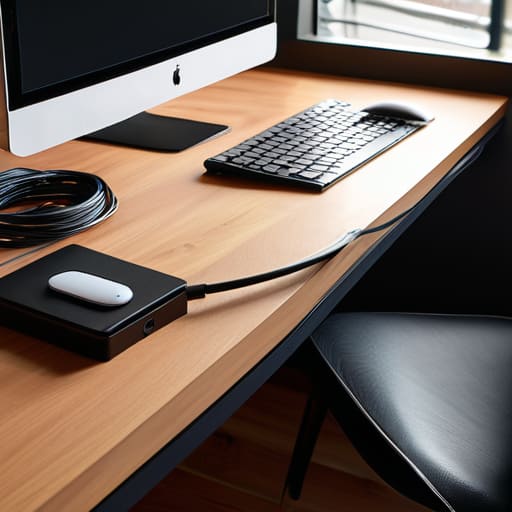

I was sitting on my floor last Tuesday, trying to reach a rogue charging cord behind my desk, when I realized I wasn’t just fighting a tangle of wires—I was fighting a complete lack of order that was actually draining my energy. We’ve been told that keeping our tech spaces tidy requires expensive, specialized gadgets or a complete overhaul of our furniture, but that’s just not true. Most of the time, you don’t need a designer budget to fix that “spaghetti mess” under your desk; you just need a few smart, low-cost cable management diy tricks that actually work in a real, lived-in home.
In this guide, I’m stripping away the complicated, over-engineered solutions you see in those polished home magazines. Instead, I’m sharing the practical, no-nonsense methods I use in my own workspace to keep things functional and out of sight. We’re going to walk through everything from using simple household items to a few clever hacks that will help you tame the chaos without spending a fortune. Let’s get those wires under control so you can finally focus on your work instead of the clutter.
Guide Overview
Tools & Supplies
- Scissors or wire cutters for trimming ties
- Label maker or masking tape for identification
- Velcro cable ties (1 pack)
- Cable management sleeves or raceways (1-2 units)
- Adhesive cable clips (1 pack)
- Power strip/Surge protector (1 unit)
Step-by-Step Instructions
- 1. First things first, you need to unplug everything. I know, it sounds like a chore, but trying to organize a “live” nest of wires is a recipe for frustration and accidental unplugging. Clear the desk or the floor area completely so you can actually see what you’re working with. Once everything is out, take a moment to untangle the knots; it’s much easier to manage a clean slate than a birds-nest of chaos.
- 2. Grab a roll of masking tape and a permanent marker—this is where my project manager brain kicks in. Label both ends of every single cord. Write “Monitor,” “Lamp,” or “Router” directly on the wire or on a small piece of tape wrapped around it. Trust me, when you’re crawling under a desk six months from now, you’ll be so glad you did this instead of playing a guessing game with a dozen identical black cables.
- 3. Group your cables together using something simple like Velcro strips or even just zip ties. I personally prefer the Velcro wraps because they aren’t permanent; if you decide to move your printer or swap out a lamp, you can just undo them without needing scissors. Try to bundle the long, excess lengths of cord so they aren’t looping wildly around your chair legs.
- 4. Now, let’s hide the “power hub.” If you have a bulky power strip sitting on the floor, it’s likely collecting dust and looking messy. I like to use a simple cable management box—or, if you’re feeling DIY, a sturdy shoebox with a few neat holes cut into the sides. Tucking the power strip and all those messy connections inside the box instantly cleans up the visual noise in the room.
- 5. For the wires that need to travel up a desk leg or along a wall, use adhesive cable clips. Don’t just let them hang loosely; guide them along the edge of your furniture to keep them tucked away. If you want to keep it really low-profile, you can even use a bit of command strip or clear tape to anchor the wires to the underside of your desk surface.
- 6. Finally, do a quick “stress test.” Plug everything back in, one by one, and make sure you haven’t accidentally created a new tangle in the process. Give the cords a gentle tug to ensure your clips and ties are holding firm. Once everything is tucked away and labeled, take a deep breath and enjoy the headspace that comes with a clutter-free zone.
Smart Under Desk Cable Management Solutions
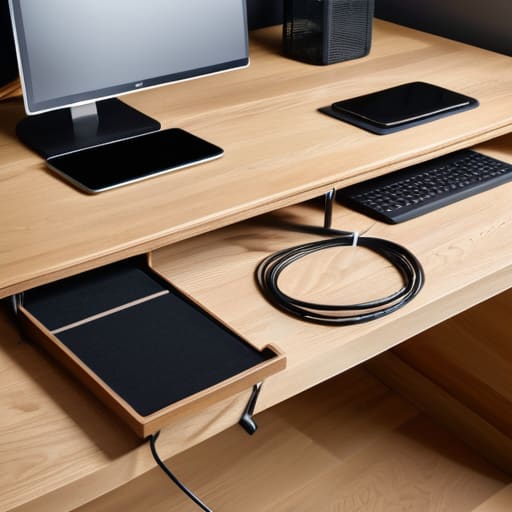
If you’re like me and spend most of your day glued to a desk, you know that looking down and seeing a “spaghetti monster” of wires can instantly spike your stress levels. While surface-level tidying helps, the real magic happens underneath. I’ve found that investing a little time into under desk cable management solutions is the single best way to reclaim your mental space. Instead of letting everything dangle, try mounting a simple wire basket or even a sturdy wooden tray to the underside of your desk. It keeps your power strips and bulky adapters off the floor, making it much easier to vacuum or just move around without catching your toe on something.
If you’re on a tighter budget, don’t worry—you don’t need fancy professional kits. I often use heavy-duty adhesive clips or even a bit of industrial-strength Velcro to run cords along the legs of the desk. It’s one of my favorite cord concealment hacks because it keeps everything tight and intentional rather than just a chaotic mess. The goal isn’t perfection; it’s just about getting those eyesores out of your direct line of sight so you can actually focus on your work.
Easy Cord Concealment Hacks for a Clear Space

If you aren’t ready to commit to a full desk overhaul, sometimes the best approach is to simply hide what’s already there. One of my favorite cord concealment hacks involves using simple decorative elements to mask the chaos. If you have a tangle of wires trailing down from a lamp or a monitor, try routing them through a stylish wicker basket or even a sleek, hollowed-out book on a nearby shelf. It’s a small trick, but it makes a massive difference in how much visual noise you’re dealing with.
For those longer stretches of wire running along baseboards or up walls, you don’t need to spend a fortune on professional installers. You can easily create a DIY cable raceway using inexpensive plastic trunking from a hardware store, or even just some heavy-duty command clips to pin the cords tight against the trim. The goal isn’t perfection; it’s about minimizing the visual clutter so your eyes can actually rest. When you stop seeing a web of black lines every time you sit down to work, your focus naturally improves.
My Go-To Shortcuts for Keeping Things Tidy
- Grab some Velcro cable ties instead of those plastic zip ties; they’re much easier to undo when you inevitably decide to move your monitor or swap out a charger.
- Use binder clips on the edge of your desk to create makeshift cord holders, keeping your phone and laptop cables from sliding onto the floor every time you unplug.
- Label both ends of your cords with a simple piece of masking tape or a label maker so you aren’t playing “guess the wire” every time you need to reset your router.
- Mount a power strip to the underside of your desk using heavy-duty command strips to get the bulk of the hardware off the floor and out of your way.
- Use old toilet paper rolls or small cardboard boxes inside a drawer to separate and corral different sets of cables, preventing that dreaded “spaghetti tangle” effect.
## Why It Matters
“A tangle of cords isn’t just a visual mess; it’s mental clutter that pulls at your focus. When you finally tuck those wires away, you aren’t just cleaning up a desk—you’re reclaiming a little bit of peace in your workspace.”
Elena Vance
Taming the Chaos Once and For All

At the end of the day, tackling your cable situation doesn’t have to be an all-or-nothing weekend marathon. Whether you decided to go the route of under-desk trays to clear your floor space or simply used some basic cord concealers to hide that nest of wires behind your nightstand, the goal was the same: reducing the visual noise. By implementing these small, practical adjustments, you’ve turned a tangled mess into a functional workspace or living area. Remember, you don’t need to buy every expensive gadget on the market; sometimes a simple Velcro strap or a well-placed cable box is all it takes to reclaim your sanity.
I know how easy it is to look at a pile of tangled cords and just feel that immediate wave of overwhelm. It’s easy to think, “I’ll deal with that later,” but once you take that first step, you’ll realize how much mental clarity a tidy space actually provides. Don’t let the perfectionism trap you—it doesn’t have to look like a professional studio setup to be effective. Just focus on making your environment work for you rather than against you. You’ve done the hard part by starting, so now, take a breath, enjoy your clean lines, and get back to living in your space.


I believe that a well-run home shouldn't require a PhD or a massive budget. My goal is to strip away the complexity so you can focus on actually living in your space. Let's keep things practical, efficient, and genuinely useful.
View All Articles