
I remember sitting at my kitchen table last Tuesday, surrounded by half-finished sanding projects and a lukewarm cup of coffee, when I got that sinking feeling in my gut. I’d just received a notification that someone had tried to log into my primary email from halfway across the world. It was a jarring reminder that our digital lives are often much more exposed than we realize. Most people think they need to become a cybersecurity expert or buy a handful of expensive hardware keys just to stay safe, but that’s total nonsense. Learning how to set up two factor authentication isn’t about adding layers of unnecessary complexity to your day; it’s simply about putting a sturdy deadbolt on your digital front door.
I’m not here to bore you with technical jargon or sell you on a subscription service you don’t need. My goal is to strip away the intimidation factor and show you the most efficient, no-nonsense way to secure your accounts. I’ll walk you through the actual process step-by-step, focusing on the tools that actually work for a busy, real-world schedule. Let’s get your digital house in order so you can get back to living without that nagging worry in the back of your mind.
Choosing Your Strategy Authenticator App vs Sms Codes
When you start looking into your options, you’ll quickly realize there isn’t a one-size-fits-all answer. The debate of authenticator app vs sms codes usually comes down to how much friction you’re willing to tolerate in exchange for security. SMS codes are the “easy button”—they’re convenient because they arrive right on your phone like any other text. However, they aren’t the gold standard. If someone manages to hijack your SIM card, they can intercept those codes, leaving your digital front door wide open.
If you want to take things a step further, I always recommend leaning toward an authenticator app. These apps generate a unique, time-sensitive code directly on your device, which is a much more robust way of preventing unauthorized access. It feels a bit more technical at first, but once you get the hang of it, it’s incredibly seamless. My rule of thumb? Use SMS for the low-stakes stuff, but for your bank or your primary email, go with an app. Just make sure you save your backup codes in a safe, physical spot—like that notebook I always keep on me—so you aren’t locked out if you lose your phone.
The Real Benefits of Using Biometric Authentication
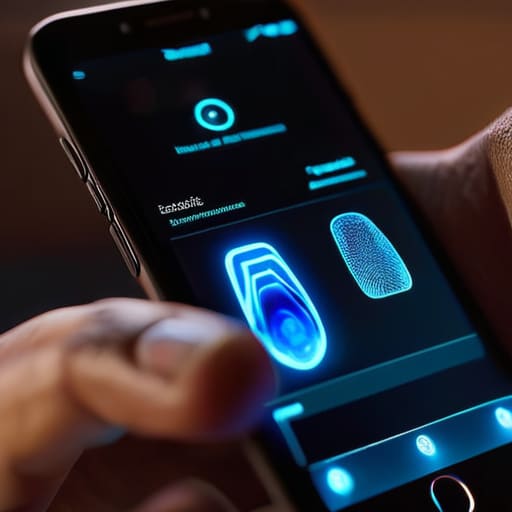
If you’ve already decided between an authenticator app vs sms codes, you might be wondering if there’s an even faster way to handle this. That’s where biometrics come in. Honestly, I used to find the whole extra step of security a bit tedious, but using a fingerprint or FaceID has been a total game-changer for me. It’s one of those rare moments where convenience actually meets high-level security. Instead of fumbling for a phone or typing in a six-digit string, you just glance at your device or tap a sensor. It’s seamless, and it removes that friction that usually makes us want to skip security steps altogether.
Beyond just being fast, the real biometric authentication benefits lie in the fact that your physical traits are incredibly difficult to spoof. When you’re securing online accounts, relying on something you are—rather than something you know (like a password) or something you have (like a phone)—adds a massive layer of protection. It’s a highly effective way of preventing unauthorized access because even if a hacker manages to snag your password, they can’t exactly replicate your thumbprint. It’s simple, it’s smart, and it just works.
Five Pro-Tips to Make 2FA Actually Work for You
- Grab your backup codes immediately. When you turn on 2FA, most sites give you a list of emergency recovery codes. Don’t just click “download” and let them sit in a messy folder; print them out or write them in that notebook I’m always carrying. If you lose your phone, these codes are your only way back into your accounts.
- Don’t go overboard all at once. If you try to secure every single account you’ve ever owned in one afternoon, you’ll burn out and stop doing it. Start with the big ones—your email, your primary bank, and your main social media accounts. Build the habit there first.
- Keep your “trusted devices” list clean. Most platforms ask if you want to “trust this computer” so you don’t have to enter a code every single time. It’s fine for your personal laptop, but never check that box on a library computer or a friend’s tablet. It’s a shortcut that can bite you later.
- Use a dedicated authenticator app over SMS whenever possible. I know, it feels like one more app to manage, but text messages can be intercepted through something called “SIM swapping.” An app like Authy or Google Authenticator is much more secure and stays with your device, not your phone number.
- Check your recovery settings. While you’re in the middle of setting up 2FA, take thirty seconds to make sure your recovery email address is actually current. There is nothing more frustrating than being locked out of an account only to realize your backup email has been inactive for five years.
## The Bottom Line on Digital Safety
“Look, setting up two-factor authentication isn’t about adding another chore to your to-do list; it’s about putting a sturdy deadbolt on your digital front door so you can stop worrying about who might be trying to slip in while you’re busy living your life.”
Elena Vance
Securing Your Peace of Mind
At the end of the day, setting up two-factor authentication isn’t about becoming a tech expert or obsessing over every digital shadow; it’s simply about adding a layer of protection that works for you. Whether you decided to go with the convenience of an authenticator app, the familiarity of SMS codes, or the seamless speed of biometrics, you’ve already done the heavy lifting. You’ve moved from being vulnerable to being proactive. Remember, the goal isn’t to create more work for yourself, but to build a digital environment that is functional and secure, much like locking your front door before you head to bed.
I know that adding one more step to your login process can feel like a chore when you’re already juggling a million things. But I promise you, the five seconds it takes to tap that app or glance at your phone is a small price to pay for the mental clarity that comes with knowing your data is safe. Don’t let the complexity of the digital world overwhelm you. Take it one account at a time, stay consistent, and then get back to the things that actually matter. You’ve got this, and your future, more relaxed self will definitely thank you for it.


I believe that a well-run home shouldn't require a PhD or a massive budget. My goal is to strip away the complexity so you can focus on actually living in your space. Let's keep things practical, efficient, and genuinely useful.
View All Articles