

I’m so over the idea that you need a professional studio setup or a ring light that costs more than my mid-century sideboard just to appear decent on a screen. Honestly, the tech industry loves to sell us this expensive dream of “perfect” digital presence, but most of it is just unnecessary noise. I spent years in corporate offices where lighting was an afterthought, and now that I’m working remotely, I’ve realized that figuring out how to look better on video calls shouldn’t feel like a full-time job or a massive drain on your bank account.
I’m not here to give you a list of high-end gadgets you don’t need. Instead, I want to share the practical, low-effort tweaks I’ve learned through trial and error—the kind of stuff that actually works when you’re juggling a project deadline and a messy living room. We’re going to focus on simple adjustments to your lighting, your angles, and your environment that make a real difference. My goal is to help you look polished and professional without the fuss, so you can stop worrying about your webcam and get back to the work that actually matters.
Setting Up a Professional Webcam Lighting Setup Without the Clutter

You don’t need a studio-grade ring light or a tangled web of cables to look decent on screen. In fact, I’ve found that the most effective professional webcam lighting setup is often the one you already have. My golden rule? Find a window. If you face a natural light source, your skin looks clearer and the shadows disappear. If that’s not an option, grab a simple desk lamp, unscrew the harsh bulb, and drape a thin white t-shirt or a piece of parchment paper over it to soften the glow. It’s a quick DIY fix that prevents that unflattering, high-contrast look.
Once you’ve nailed the light, keep the rest of your desk clear. I’m a big believer in minimizing background distractions so your colleagues focus on what you’re saying rather than the pile of mail or the half-finished furniture project behind you. If your space is a bit chaotic, don’t sweat it—just angle your camera toward a plain wall or a tidy bookshelf. Keeping your environment intentional helps you stay in the zone and keeps the professional vibe high without needing a total room makeover.
Finding the Best Camera Angles for Remote Work Effortlessly
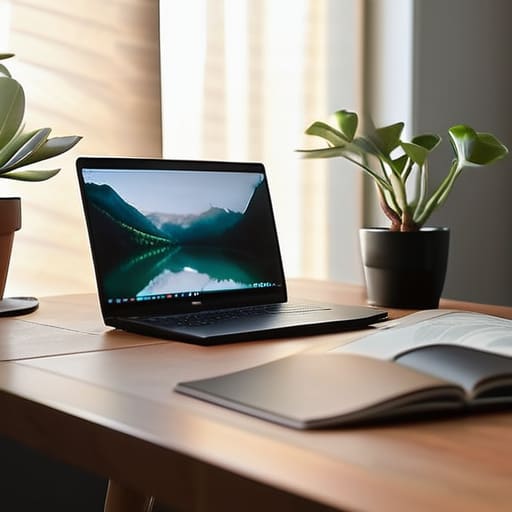
Once you’ve sorted out your lighting, the next thing to tackle is where your camera actually sits. Most of us default to having our laptops sitting flat on the desk, which is a mistake. It forces you into a constant “chin-down” tilt, making you look like you’re staring at the viewer from a basement. To find the best camera angles for remote work, you want the lens to be at eye level—or even just a hair above it. If you’re on a laptop, don’t fight with the hinge; just grab a sturdy stack of books or a dedicated laptop riser to lift the device up. It makes a world of difference in how you present yourself.
While you’re adjusting your height, take a quick second to check what’s happening behind you. You don’t need a sterile studio, but minimizing background distractions helps keep the focus on your face rather than your laundry pile or a messy bookshelf. Aim for a clean, simple backdrop that doesn’t pull the eye away from the conversation. It’s all about creating a sense of intentionality without making it look like you’ve spent hours staging a movie set.
Small Tweaks for a Polished Look (That Don't Take All Morning)
- Keep your background intentional but simple. You don’t need a designer studio; just clear away the pile of mail or that half-finished DIY project on the shelf behind you. A clean, neutral backdrop makes you look organized without you having to say a word.
- Don’t underestimate the power of a quick tidy-up. If you’re feeling a bit “zoom fatigued,” just splash some cold water on your face and use a little moisturizer. It helps get rid of that dull, tired look that happens when you’ve been staring at a screen for four hours straight.
- Check your audio before you jump on. There is nothing more distracting than a grainy, echoing voice. If you aren’t using a dedicated mic, just make sure you’re in a room with some soft surfaces—like rugs or curtains—to soak up that annoying echo.
- Dress for the vibe, not the boardroom. You don’t need a suit, but swapping your old college sweatshirt for a clean, solid-colored knit or a simple button-down makes a huge difference. Stick to colors that don’t wash you out under artificial light.
- Watch your eye contact. It feels unnatural, I know, but try to glance at the camera lens occasionally rather than just staring at your own face on the screen. It creates a much more genuine connection with the person on the other end.
## My Philosophy on Video Presence
“You don’t need a studio-grade ring light or a professional film crew to look decent on screen; you just need to stop fighting your environment and start working with what you’ve already got in your living room.”
Elena Vance
Making it Work for You

At the end of the day, looking polished on a video call isn’t about having a studio-grade lighting kit or a high-end DSLR. It’s really just about the basics: facing a window for natural light, propping your laptop up on a few sturdy books to get that eye-level angle, and keeping your background tidy enough that people focus on your words rather than your laundry pile. Once you’ve mastered these few low-effort tweaks, you’ll find that you spend much less time fiddling with settings and much more time actually engaging with your team. It’s all about stripping away the technical friction so you can just show up as yourself.
I know how easy it is to feel like you need a complete home office overhaul just to look “professional,” but I promise you, that’s not the case. We’re all just trying to navigate this digital workspace in the best way we can. Don’t let the pursuit of perfection become another item on your overwhelming to-do list. Focus on what works for your specific space and your specific rhythm. Once you get these small pieces in place, you’ll realize that confidence comes from being prepared, not from having the most expensive gear on the screen. Now, go grab a coffee and get back to the work that actually matters.


I believe that a well-run home shouldn't require a PhD or a massive budget. My goal is to strip away the complexity so you can focus on actually living in your space. Let's keep things practical, efficient, and genuinely useful.
View All Articles