
I remember sitting on my living room floor a few years ago, surrounded by paint swatches and measuring tapes, feeling completely paralyzed by a single empty corner. I wanted to refresh my space, but the thought of hiring a professional designer felt like an impossible luxury, and most of the software I found online was either way too expensive or so complicated it felt like I needed a degree just to move a virtual chair. It’s easy to feel overwhelmed when you’re just trying to make your home feel like yours, but you shouldn’t have to drain your savings just to see if a new rug actually fits your vibe. That’s why I spent the last few weeks digging through the digital noise to find the best free design tools that actually make sense for real people.
In this post, I’m stripping away the fluff and sharing the six specific resources I personally rely on when I’m planning a project. Whether you’re trying to visualize a room layout, pick the perfect color palette, or just want to see if that vintage sideboard will fit in your nook, these tools will help you plan with confidence. I promise these aren’t just fancy gadgets; they are practical, straightforward ways to help you design your space without the headache.
Sketch It Out with Canva
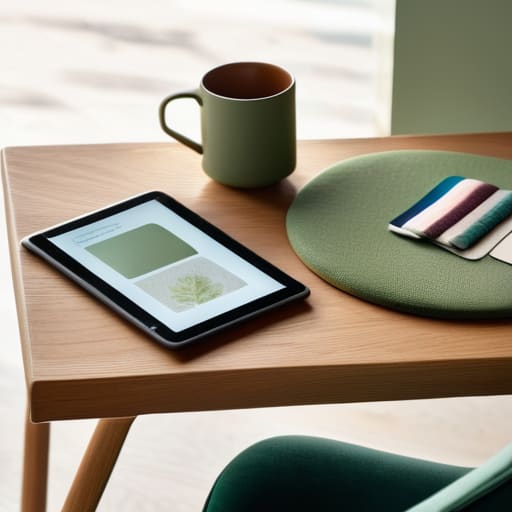
When I’m staring at a blank wall or trying to figure out if a new rug will clash with my existing armchair, I usually turn to Canva. While most people think of it as just a tool for social media graphics, it’s actually a lifesaver for creating simple mood boards. You can pull in images of furniture, color swatches, and textures to see if a vibe actually works before you spend a dime at the store.
Visualize Your Layout with Floorplanner
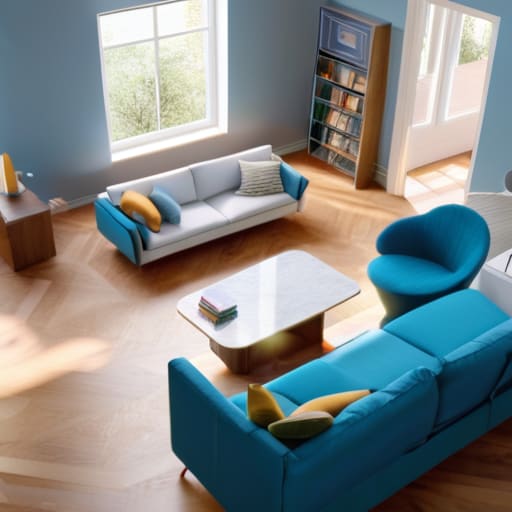
There is nothing more frustrating than buying a new bookshelf only to realize it blocks the walkway or makes the room feel cramped. I’ve made that mistake more times than I’d like to admit, which is why I’m such a fan of Floorplanner. It lets you build a 2D or 3D map of your room so you can play with the footprint of your furniture without moving a single heavy piece of wood.
Master Your Colors with Adobe Color
Choosing a paint color is easily one of the most stressful parts of any home project. I used to spend hours squinting at tiny paper swatches, hoping they wouldn’t look terrible under my living room lights. Now, I use Adobe Color to build cohesive color palettes that actually make sense. You can upload a photo of a piece of furniture you love, and the tool will pull out the exact shades that complement it.
Get Inspired by Pinterest
I know, I know—Pinterest feels like common sense, but it is still my go-to for the initial “dreaming” phase. The trick isn’t just scrolling aimlessly; it’s about being highly specific with your boards. Instead of just “living room ideas,” try creating boards for “warm minimalist textures” or “dark wood accents.” This helps you filter out the noise and find what truly resonates with your personal style.
Plan Your Details with Houzz
Once you have a general idea of your style, Houzz is where things get real. It’s a massive database of professional photography that lets you see how certain materials and layouts look in actual homes. I love using it to bridge the gap between a vague idea and a concrete visual reference. You can see how a specific type of lighting looks against a textured wall, which is something a flat photo just can’t convey.
Test the Vibe with Room Planner Apps
If you want to get a little more hands-on with the 3D aspect of your space, there are several free mobile apps that function like a simplified version of professional CAD software. These are perfect for those quick, on-the-go design tweaks when you’re sitting on the couch or waiting for a meeting to start. You can quickly swap out a color or a piece of furniture to see how it changes the room’s energy.
Design Doesn't Have to Be Expensive
“You don’t need a fancy degree or a massive software budget to visualize a better space; you just need the right tools to get the ideas out of your head and into your home without the headache.”
Elena Vance
Final Thoughts Before You Start
At the end of the day, the goal isn’t to become a professional interior designer or master every single feature of these apps. Whether you’re using a floor planner to visualize a new layout or a simple color palette generator to fix a drab living room, the point is to remove the guesswork. These tools are just meant to give you a bit of clarity before you start moving heavy furniture or buying paint. Remember, you don’t need a massive budget or a degree in architecture to make decisions that feel right for your space; you just need a little bit of practical planning to ensure you’re happy with the result before you commit.
I know how easy it is to get paralyzed by “decision fatigue” when you’re staring at a blank room or a Pinterest board full of ideas that feel out of reach. But please, don’t let the fear of making a mistake keep you stuck. Your home is a living, breathing thing, and it’s okay if it evolves over time. Use these tools to find your footing, but ultimately, trust your gut. A space only feels truly “designed” when it actually works for your daily life and makes you feel at peace. Now, grab your notebook, pick one tool, and just start small. You’ve got this.


I believe that a well-run home shouldn't require a PhD or a massive budget. My goal is to strip away the complexity so you can focus on actually living in your space. Let's keep things practical, efficient, and genuinely useful.
View All Articles