
I was sitting at my desk last Tuesday, surrounded by half-finished furniture projects and three different screens, when I realized I was about to lose my mind. I just needed to move a single design sketch from my tablet to my laptop, but instead, I was staring at a “cloud sync error” and wondering why everything in modern life feels like it requires a subscription or a degree in computer science. We’ve been sold this idea that technology should be seamless, yet when you actually try to figure out how to transfer files between devices, you’re often met with a confusing maze of proprietary cables and expensive software. It shouldn’t be this complicated just to move a simple PDF from point A to point B.
I’m not here to pitch you a high-priced tech ecosystem or a complicated workflow that takes an hour to set up. My goal is to give you the straightforward, practical methods that actually work in a real, messy, busy life. I’ve tested the shortcuts, the cables, and the wireless tricks so you don’t have to waste your afternoon fighting with your hardware. Let’s strip away the digital clutter and find the fastest, simplest way to get your stuff where it needs to go.
Simple Wireless File Sharing Methods for Busy People

If you’re like me, the last thing you want to do after a long day is hunt for a specific cable or fiddle with tiny ports. When I need to move a quick photo from my phone to my laptop, I lean heavily on wireless file sharing methods that just work. For most of my daily tasks, I rely on services like iCloud or Google Drive. It’s essentially cloud storage file synchronization—you save a document in one place, and it magically appears on your other device. It’s seamless, requires zero physical effort, and keeps your digital life organized without the clutter of extra hardware.
However, if you’re dealing with something a bit more heavy-duty, like a folder full of high-res photos from a recent trip, standard cloud syncing can sometimes feel sluggish. In those moments, I look for cross-platform file sharing tools like WeTransfer or even just using a local network share. These are lifesavers when you’re transferring large files wirelessly and don’t want to wait an eternity for a progress bar to finish. The goal is to find the tool that fits your specific task so you can get back to what actually matters.
The Reliable Usb Cable Data Transfer Approach
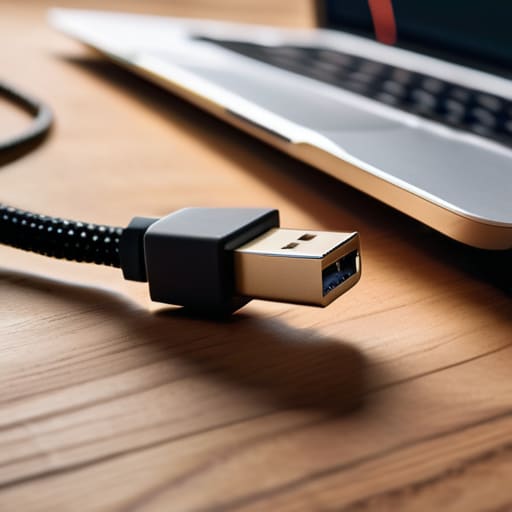
Now, if you’re dealing with a massive folder of high-res photos or a video file that’s just too heavy for a quick upload, I usually steer away from the cloud and go old school. While wireless file sharing methods are great for a quick document, they can get temperamental when you’re pushing a lot of data. This is where the trusty USB cable comes in. It’s not the flashiest solution, but it’s arguably the most stable way to ensure nothing gets dropped mid-transfer.
When I’m transferring data between my phone and computer, I always grab a high-quality cord—not one of those cheap, fraying ones you find in a bargain bin. Plug it in, set your phone to “File Transfer” mode, and let the computer do the heavy lifting. It might feel a little “analog” compared to modern sync tools, but there is a certain peace of mind that comes with a physical connection. You don’t have to worry about your Wi-Fi dropping out or your cloud storage file synchronization stalling halfway through. It’s just plug, play, and move on with your day.
A Few Pro-Tips to Save You a Headache
- Check your storage before you start. There is nothing more frustrating than getting 90% through a transfer only to have it crash because your receiving device is out of space. Clear out those old screenshots first.
- If you’re moving a massive folder of high-res photos or videos, skip the wireless options. Even the fastest Wi-Fi can be finicky; a physical cable is still the most reliable way to ensure you don’t lose data mid-stream.
- Organize your files before the move. Don’t just dump a messy “Downloads” folder onto a new laptop. Take five minutes to group things into folders so you aren’t playing digital scavenger hunt once the transfer is done.
- Keep an eye on your battery levels. Large file transfers can be surprisingly power-hungry. If you’re working wirelessly, make sure both devices are plugged in or at least well above 50% so they don’t die halfway through.
- Always do a quick “sanity check” once you’re finished. Open a few random files on the new device to make sure they actually play or load correctly. It’s much easier to fix a glitch now than three weeks from now when you actually need that file.
My Philosophy on Digital Clutter
“Moving files shouldn’t feel like a heavy lifting project; it should be a quick, invisible bridge between your devices so you can get back to what actually matters.”
Elena Vance
Choosing Your Path
At the end of the day, there isn’t one “perfect” way to move your data; there is only the way that works best for your specific situation. If you’re just moving a few quick photos or a single document, leaning on wireless sharing is easily your fastest bet to get back to what matters. But, if you’re staring down a massive library of high-res videos or old family archives, don’t be afraid to do it the old-fashioned way with a reliable USB cable. It might feel a little less “high-tech,” but it’s often the most stable and stress-free method when the stakes are high.
I know that tech hurdles can feel like just one more thing on an already overflowing to-do list, but I promise you, it doesn’t have to be a headache. Once you find the rhythm that works for your workflow, these little digital chores will start to feel like second nature. My goal is for you to spend less time staring at progress bars and more time actually using the files you’ve worked so hard to organize. Take it one step at a time, pick your method, and get back to living your life.


I believe that a well-run home shouldn't require a PhD or a massive budget. My goal is to strip away the complexity so you can focus on actually living in your space. Let's keep things practical, efficient, and genuinely useful.
View All Articles