

I was sitting at my kitchen table last Tuesday, mid-way through sanding down a vintage teak sideboard, when my phone buzzed with a frantic alert: someone was trying to log into my primary email from halfway across the world. My heart did that annoying little skip, and for a second, I felt that familiar, overwhelming wave of digital dread. We’re constantly told that staying safe online requires expensive software suites or a degree in computer science, but honestly, that’s just noise. When it comes to learning how to keep your accounts secure, most of the advice out there is either way too expensive or way too complicated for someone who just wants to get through their to-do list.
I’m not here to sell you on a subscription service or bury you in technical jargon that makes your eyes glaze over. Instead, I want to share the practical, low-maintenance habits I’ve built into my own routine to stay protected without losing my mind. We’re going to strip away the tech-speak and focus on a few straightforward steps that actually work. My goal is to help you lock down your digital life so you can stop worrying about hackers and get back to the things that actually matter.
Mastering Strong Password Management for Real Life

Look, I used to be the person who used the same three passwords for everything—usually some variation of my childhood dog’s name and a birth year. It was easy to remember, but it was a total nightmare for my peace of mind. If you want to move toward strong password management without losing your mind, stop trying to memorize a string of random characters. Instead, invest in a reputable password manager. It’s like having a digital filing cabinet that does all the heavy lifting for you, generating complex keys and storing them behind one single, very secure master password.
Once you have the manager running, the next step is adding a layer of actual armor. This is where two-factor authentication setup comes into play. It might feel like an extra step when you’re in a rush, but it’s the single most effective way to stop a stranger from walking right through your front door. By requiring a quick code from your phone, you’re ensuring that even if someone somehow guesses your password, they still can’t get in. It’s about building a system that works for you, not creating more chores.
The Simple Truth About Two Factor Authentication Setup
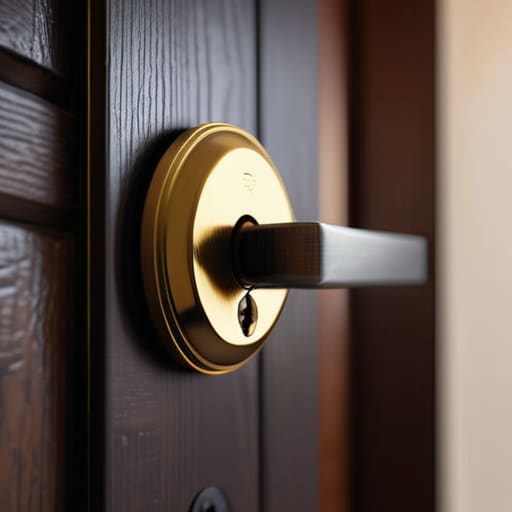
I know what you’re thinking: another layer of security sounds like another chore on an already overflowing to-do list. But honestly, once you get through the initial two-factor authentication setup, it becomes a background process that does the heavy lifting for you. Think of it like putting a deadbolt on your front door after you’ve already locked the handle; it’s that extra bit of friction that stops a casual intruder in their tracks.
When you set this up, you aren’t just adding a step; you are actively preventing identity theft by ensuring that even if a hacker manages to guess your password, they still can’t get past that second checkpoint on your phone. I personally prefer using an authenticator app over SMS codes. Text messages can be intercepted, but an app stays tucked away on your device, making it a much more reliable part of your cybersecurity best practices. It takes maybe five minutes to configure for your most important accounts—email, banking, and social media—and that tiny investment of time offers a massive amount of peace of mind.
Five Quick Wins to Tighten Up Your Digital Security
- Audit your app permissions. Go through your phone and delete those old apps you haven’t touched in six months—especially the ones that still have access to your location or contacts. If you don’t use it, it shouldn’t be watching you.
- Watch out for “urgent” emails. If a message from your bank or a delivery service demands you click a link immediately to “verify your identity,” stop. Close the email, go to the official website yourself, and log in there. It’s much safer.
- Set up automatic software updates. I know, the pop-ups are annoying when you’re in the middle of something, but those updates usually contain critical security patches. Set your phone and laptop to update overnight so you don’t have to think about it.
- Use a dedicated email for shopping and newsletters. I keep one email address strictly for my primary accounts (banking, utilities, etc.) and another for online shopping and discounts. If a retail site gets breached, your most important stuff stays out of the line of fire.
- Check your “Logged In” sessions. Most major platforms like Google or Facebook let you see every device currently signed into your account. Once a month, take a quick peek to make sure there isn’t a random device from a city you’ve never visited lurking in your settings.
A Mindset Shift for Digital Safety
“Security doesn’t have to be this massive, intimidating project you tackle once a year; it’s really just about setting up a few small, smart habits so you can stop worrying about your data and get back to the things that actually matter.”
Elena Vance
Getting Back to What Matters
At the end of the day, securing your digital life isn’t about becoming a cybersecurity expert or obsessing over every single setting. It’s really just about building a few solid habits that work for you. We’ve covered the heavy hitters: using a password manager to stop the “forgot password” cycle, and turning on two-factor authentication so you can actually sleep soundly knowing there’s an extra lock on the door. If you do those two things, you’ve already done more than most people, and you’ve effectively closed the biggest windows that hackers like to peek through.
I know it can feel like just one more thing on an already overflowing to-do list, but I promise it’s worth the fifteen minutes of effort. The goal here isn’t to make you a tech guru; it’s to give you peace of mind so you can stop worrying about your data and get back to the things that actually matter—whether that’s finishing a project, enjoying a quiet coffee, or finally tackling that DIY furniture restoration in the garage. Don’t let the digital noise overwhelm you. Take it one step at a time, keep it simple, and then get back to living your life.


I believe that a well-run home shouldn't require a PhD or a massive budget. My goal is to strip away the complexity so you can focus on actually living in your space. Let's keep things practical, efficient, and genuinely useful.
View All Articles